Solvra Code
The agent development environment.
Live · Windows, macOS, LinuxOur product

Every coding agent. One workspace.

Solvra Code is a desktop app for Windows, macOS and Linux that keeps your local terminals and coding agents in one organised workspace. Run Claude Code, Codex, Gemini and your other agents side by side, organise your projects, and stay in control of the work.

Free
The workspace
Free to download, and no account needed.
Desktop
Available now
Windows 10 and 11, macOS 12 or later on Apple silicon and Intel, and 64-bit Linux.
Optional
Orchestrator plan
Adds the Orchestrator and voice. Plans are on solvracode.com.
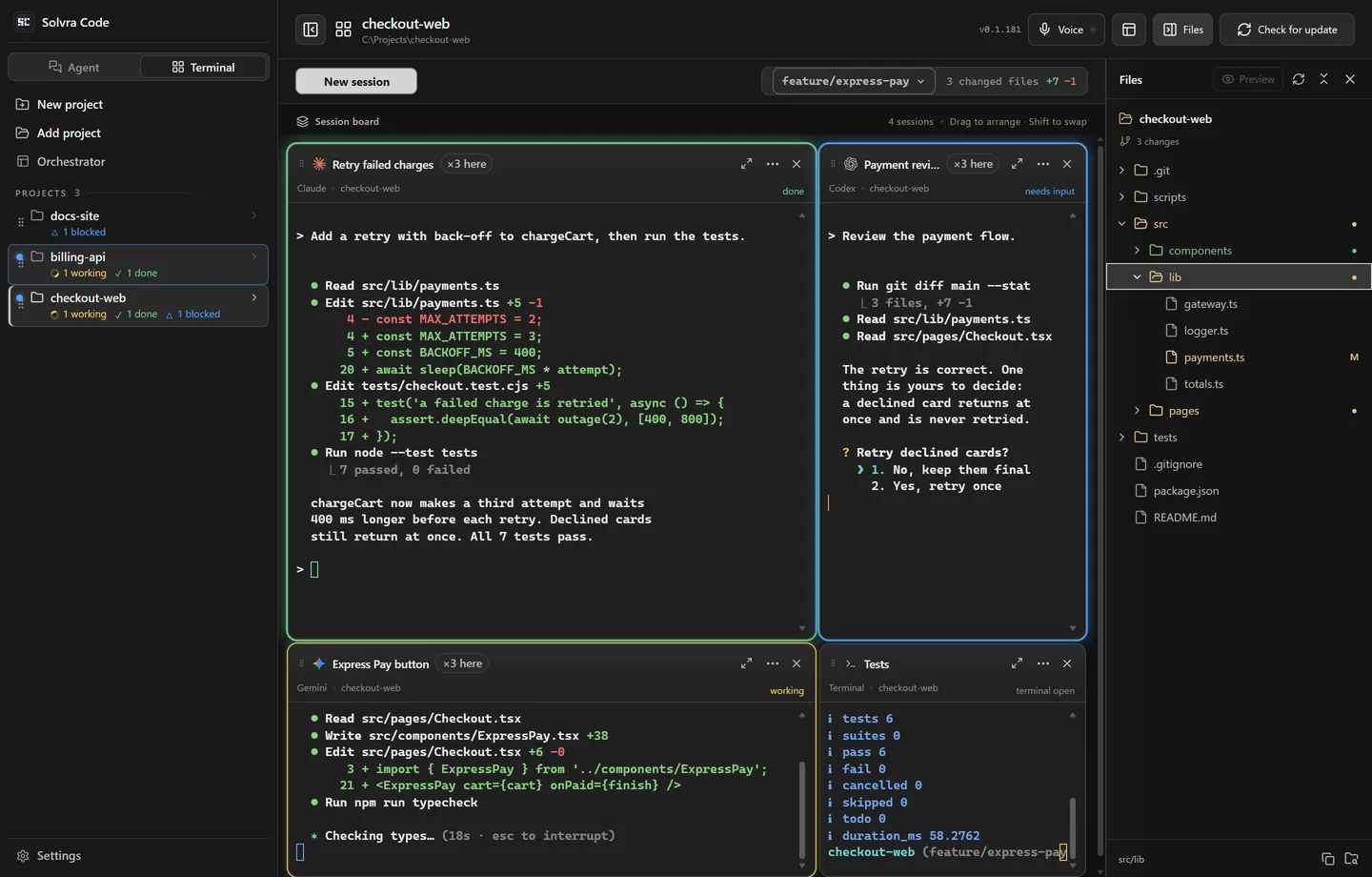
Solvra Code with Claude, Codex and Gemini working side by side on one project, a test terminal, and the file explorer showing Git changes.
The workspace, with a demonstration project: Claude, Codex and Gemini side by side, a test terminal, and the files with their Git changes.

What it does today.

Every agent, side by side

Terminal and agent panes together in one window. Drag, resize, maximize, duplicate, restart or close them, and fit them to the board.

Organised by project

Open project folders and keep each folder’s sessions together, or use Multi mode for a free board of terminals and agents from different folders.

Status at a glance

Status pills for running, waiting, done and failed sessions, and attention dots when an agent finishes, waits for input, or fails.

Close to the code

A file explorer with Git status colours, Git line changes for each open project, and supported agent threads that resume when a pane restarts.

Launches panes for
  • Codex
  • Claude
  • OpenCode
  • Cursor
  • Gemini
  • Kimi
  • Grok Build
  • Qwen
  • a plain terminal
The Orchestrator plan

A workspace you can talk to.

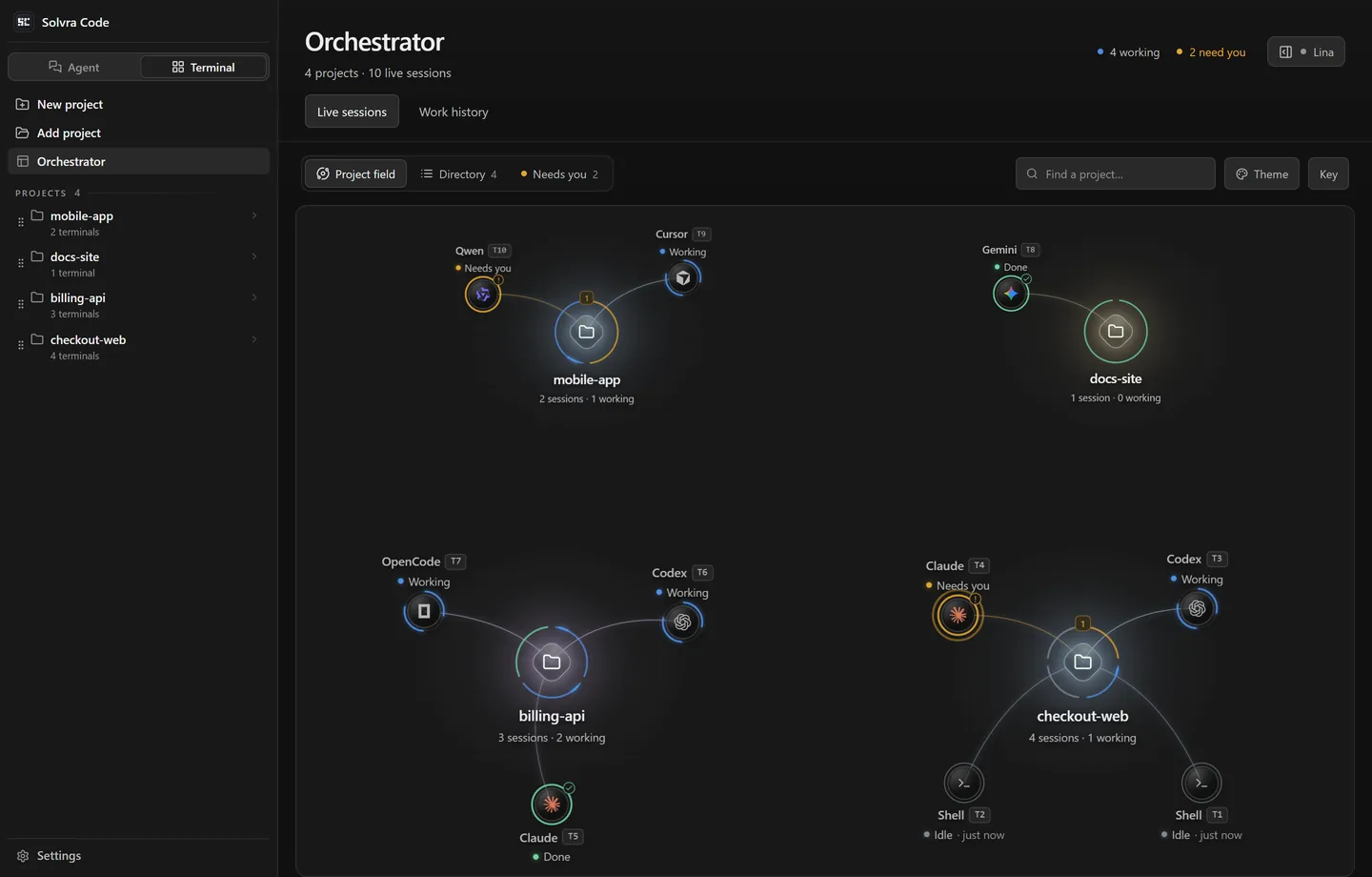
The Orchestrator works across your sessions: give tasks to agents, see what they are doing, and keep work moving across projects, by text or voice. It comes with the optional Orchestrator plan; the workspace itself stays free.
Requests keep their contextEach request stays associated with its project and conversation, and dependent tasks can wait for earlier agent results.
You stay in chargeInterrupt, redirect, or answer an agent yourself. Your terminals stay available for direct work.
Text or voiceType to Lina, hold Space to speak, or turn on hands-free “Hey Lina” (English).
The Orchestrator page with four demonstration projects and their agents in working, done and needs-you states.
The Orchestrator page, with demonstration projects: every project as a live field of its terminals.

Where it fits in the three questions.

ApplyCoding agents work in your own terminals and local projects, and every session is visible at a glance.
EconomizeThe workspace is free and runs the coding agents you already use, so bringing them together adds no new bill.