Applied AI Products and custom builds

AI for judgement. Software for the rest.

Solvra builds AI into everyday work, in two products of our own and in systems built for teams. A model takes the steps that need judgement. Ordinary software takes the rest, so the result is predictable and cheap enough to run every day.

The approach

Three questions, before any model.

We ask them on every project, in this order. Together they decide whether a model belongs in the work, which steps it takes, and what it may cost to run.

  1. 01Discover

    Which steps need judgement?

    Most work is a mix: steps that run the same way every time, and a few where someone has to read, weigh or decide. We map the work and find those few. They are the only places a model is worth paying for, and sometimes there are none.

    • Workflow mapping
    • Use cases ranked by value
    • Build, buy or leave alone
    See the patterns for discover
  2. 02Apply

    Where does the work happen?

    We build the model into that application, connected to the email, calendars, files and systems people already use. Software holds the rules around it: which tools it may call, what it may change, and when a person signs off.

    • Inside the tools you use
    • Plans, acts and checks its work
    • Permissions held by the server
    See the patterns for apply
  3. 03Economize

    What is the work worth?

    That number sets the budget. We show the model only what each step needs, use the smallest model that does the job well, and move every repeatable step into plain code, so the system stays cheap enough to run every day.

    • Scoped context
    • Right-sized models
    • Plain code for repeat work
    See the patterns for economize
The principle

A model is the most expensive way to do what a rule could do. So we save it for the work only a model can do.

Products

Two products, built the same way.

Lina Terminal gives the coding agents you already use one place to work, and it is live today. Lina takes on the logistics of a working day; it is paused for now.

Lina

Personal Work Operating System.

Paused for now

A personal operating system for work, built around one agent. It rates your email and drafts replies, schedules against your real calendar, works with your files, and runs code in its own sandbox.

In Lina

  • AI email rating
  • Smart calendar
  • Code sandbox
  • Scheduled automations
  • Web research
  • Lina-to-Lina network

Built to stay lean. Lina’s planner loads only the tools each step needs into a capped window, so the model is never shown all 160 at once.

lina · capability mapPaused for now
Agent tools
160
Integration services
37
Capability scopes
8

The eight scopes

  • Core
  • Email
  • Calendar
  • Container
  • Workspace
  • Drive
  • Integrations
  • Social
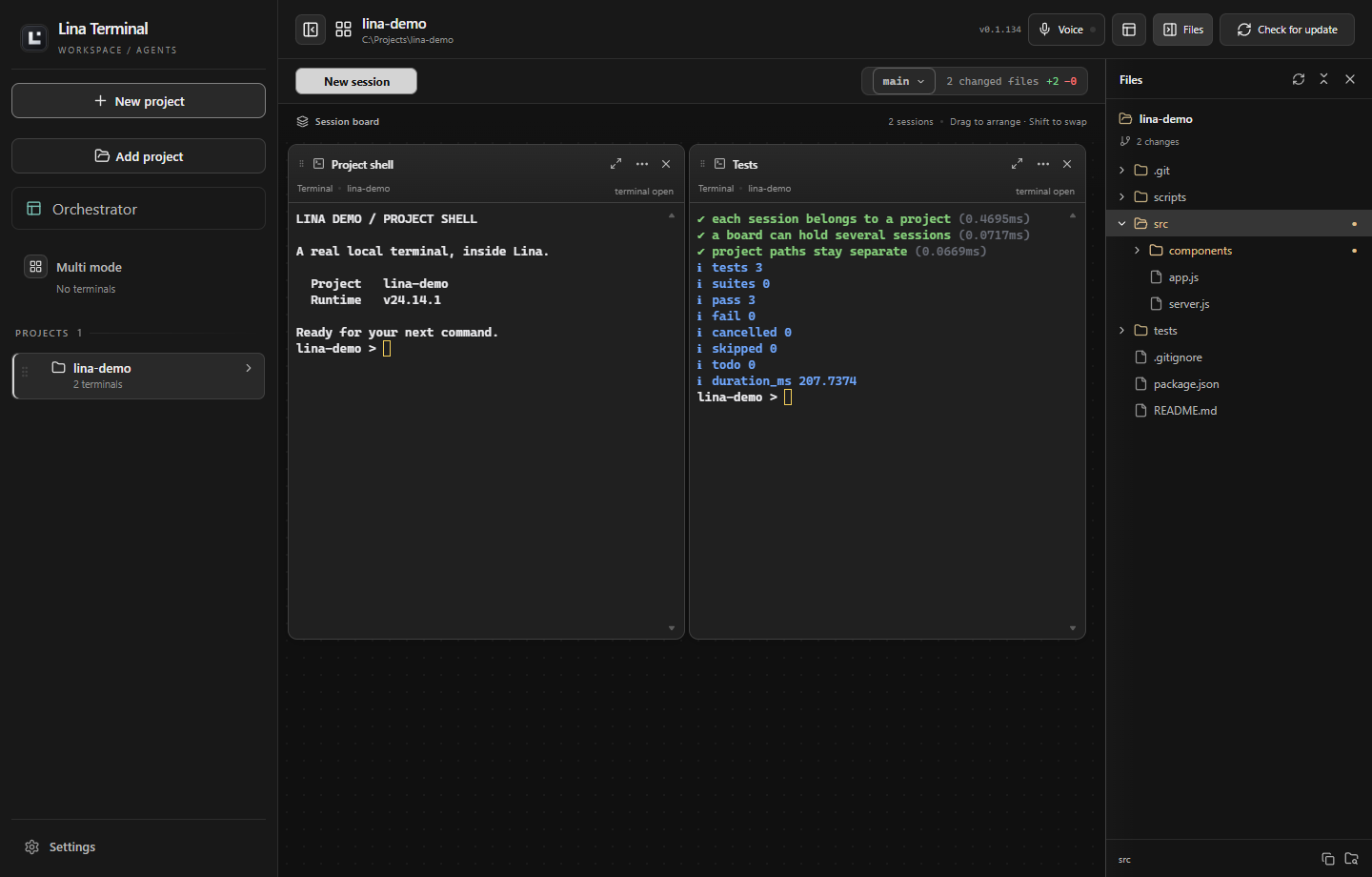
Lina Terminal with a project sidebar, two terminal panes and the file explorer showing Git changes.
The workspace, with a demonstration project: a project sidebar, two terminal panes, and the file explorer showing Git changes.

Lina Terminal

Every coding agent. One workspace.

Live · Windows

A Windows desktop app that keeps local terminals and coding agents in one organised workspace. Run Claude, Codex and your other agents side by side, grouped by project, and see at a glance which are running, waiting, done or failed.

In Lina Terminal today

  • Terminals and agents side by side
  • Sessions grouped by project
  • Multi mode across folders
  • Running, waiting, done and failed status
  • File explorer with Git status
  • Agent threads resume on restart

Free to start. The workspace is free to download and needs no account. It runs the coding agents you already use.

Services

When no product fits, we build one around the work.

Some work is too specific for a product. We build the system around the workflow your team already has, with the same three questions, from finding the steps that need judgement to running the finished system.

  • 01 Discover

    Use-case discovery

    We map how the work runs today, find the steps that need judgement, and rank them by what they are worth. You leave with a decision on each one: build it, buy it or leave it alone.

  • 02 Apply

    Custom AI applications

    Design, development and deployment of an application built around one job, connected to the systems your team already uses, with its permissions enforced in software.

  • 02 Apply

    Workflow automation

    Plain code runs the routine steps and a model handles the ones that need judgement, with a person signing off wherever a mistake would be costly.

  • 03 Economize

    Infrastructure and running cost

    The pipelines, integrations and deployment that keep AI dependable in production. For AI you already run, we trace where the calls go and cut what each one costs.

Bring us a workflow.
We’ll tell you which parts need AI.